← All work
Built product system — active development

Teacher workflow · planning, participation & evidence

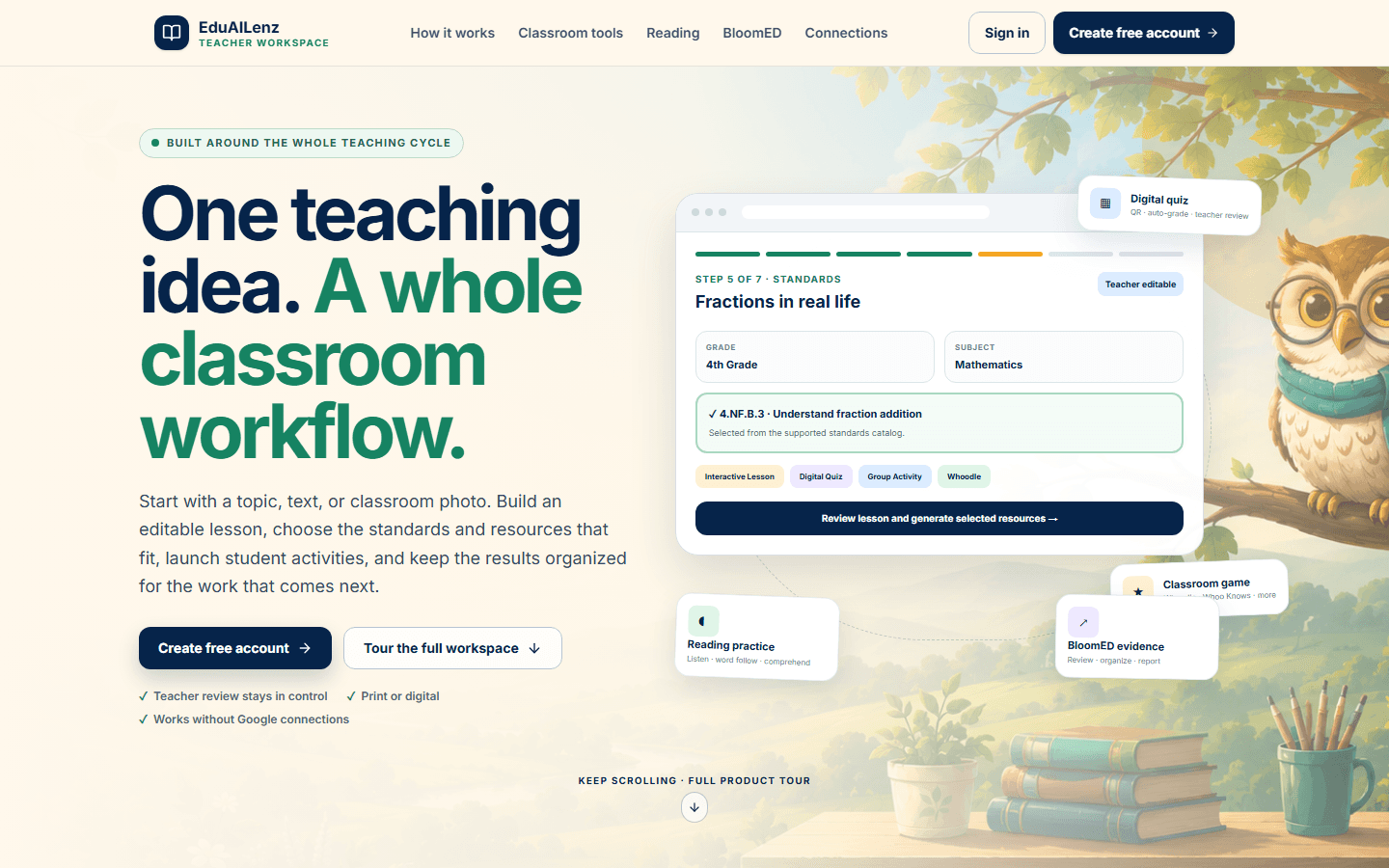
One teaching idea. A whole classroom workflow.

EduAILenz connects lesson planning, classroom resources, reading support, assignments, and special-education documentation without taking judgment away from the teacher.

Active development. Protected educator workflows require an account; the public tour below uses no student data.

EduAILenz · current public view
Desktop view of the current public EduAILenz teacher-workspace homepage
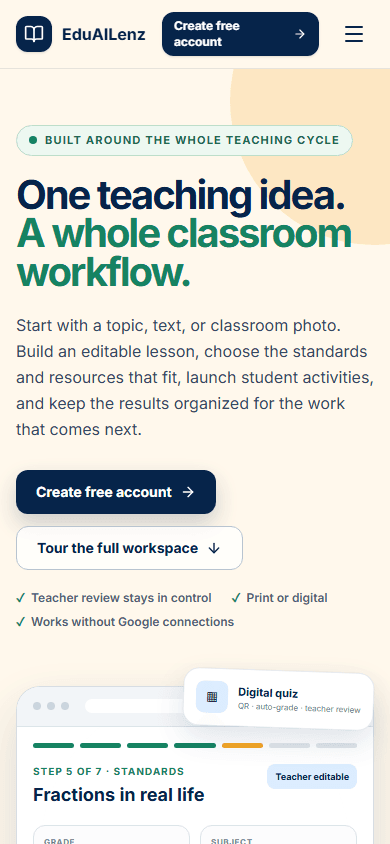
Phone view of the current public EduAILenz teacher-workspace homepage
Live public product page · desktop + phone

Three educator tasks, followed end to end

Plan the lesson, record the evidence, review the progress.

These accepted validation captures make three protected teacher jobs inspectable without exposing student information. Learner-facing lesson, player, and display routes are source-verified, but they are not presented here as accepted learner journeys.

Open the current public experience
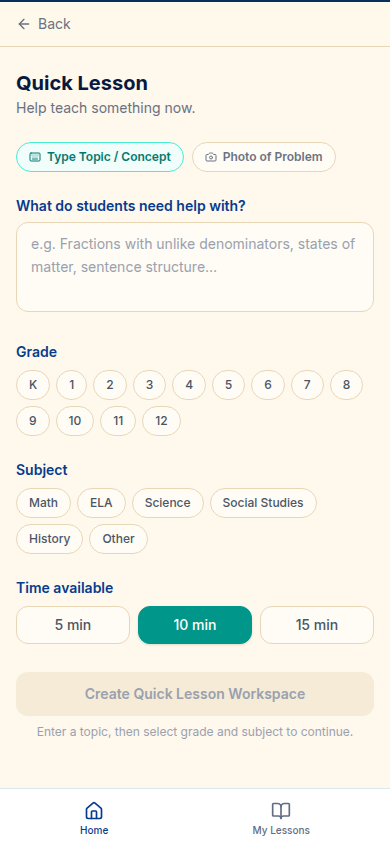
EduAILenz · Quick Lesson setup
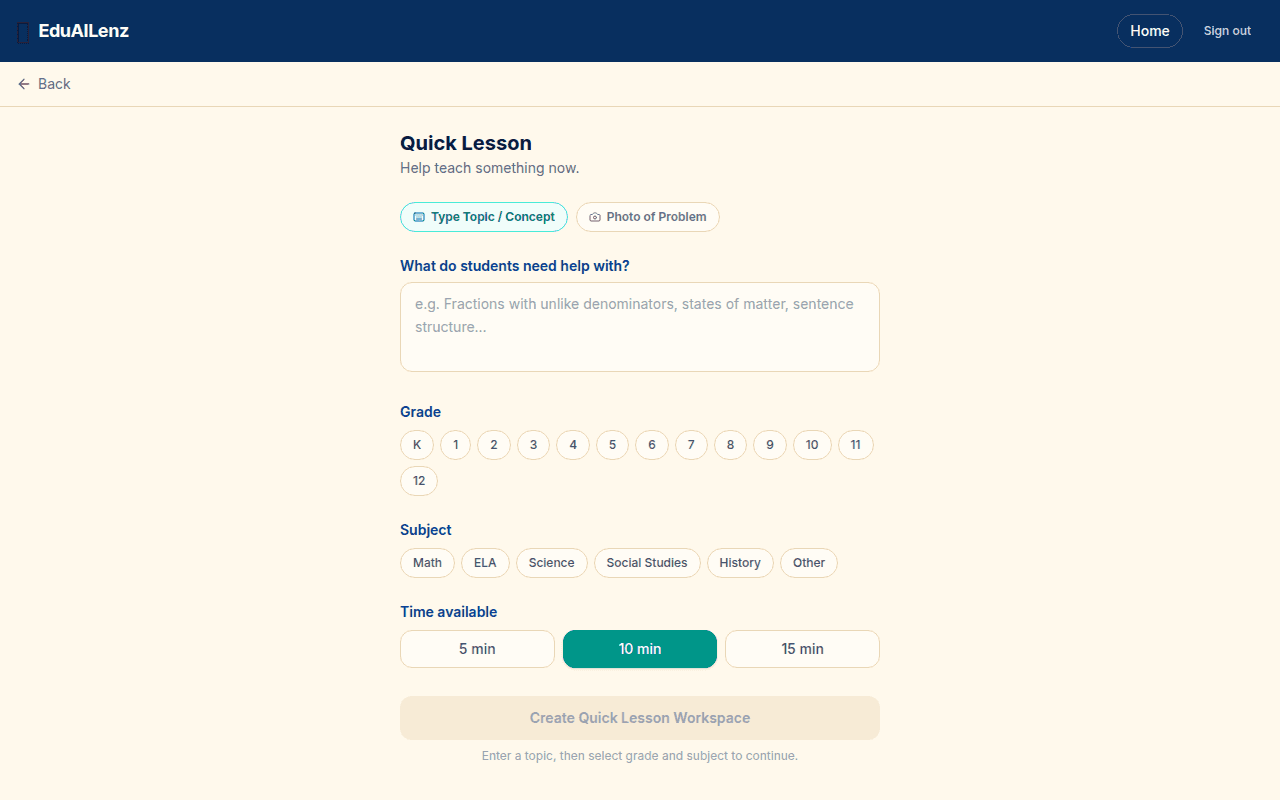
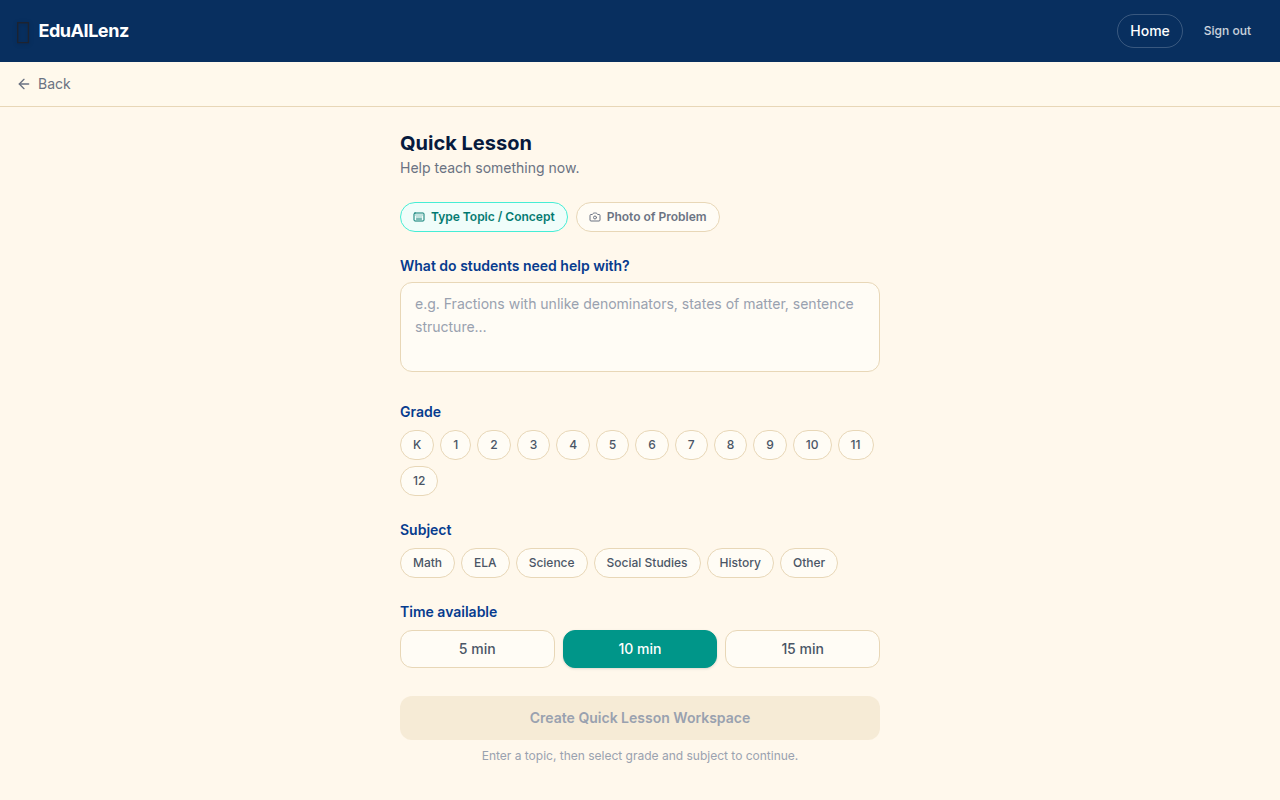
Authenticated EduAILenz Quick Lesson setup on desktop with topic, grade, subject, and time controls
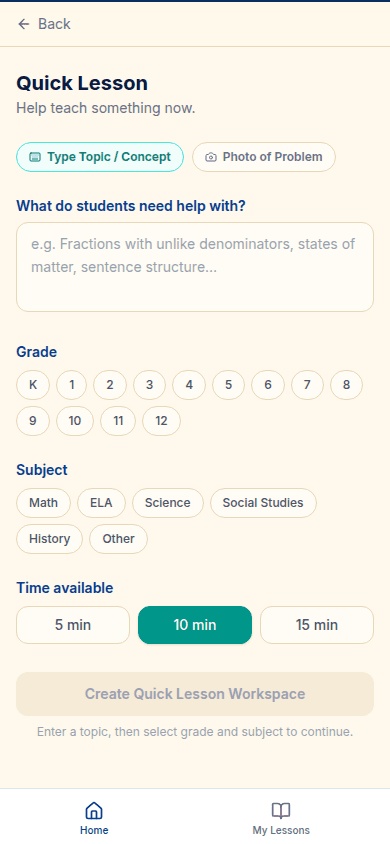
Authenticated EduAILenz Quick Lesson setup arranged for a phone

Accepted authenticated validation · no student data

Shape a quick lesson around the class in front of you

The authenticated setup starts with the teaching need, then makes grade, subject, and available time explicit before a workspace can be created.

Visible result: a focused lesson setup that keeps classroom constraints attached to the request.

Capability demonstrated: turning a broad request into a clear, constraint-aware planning flow.
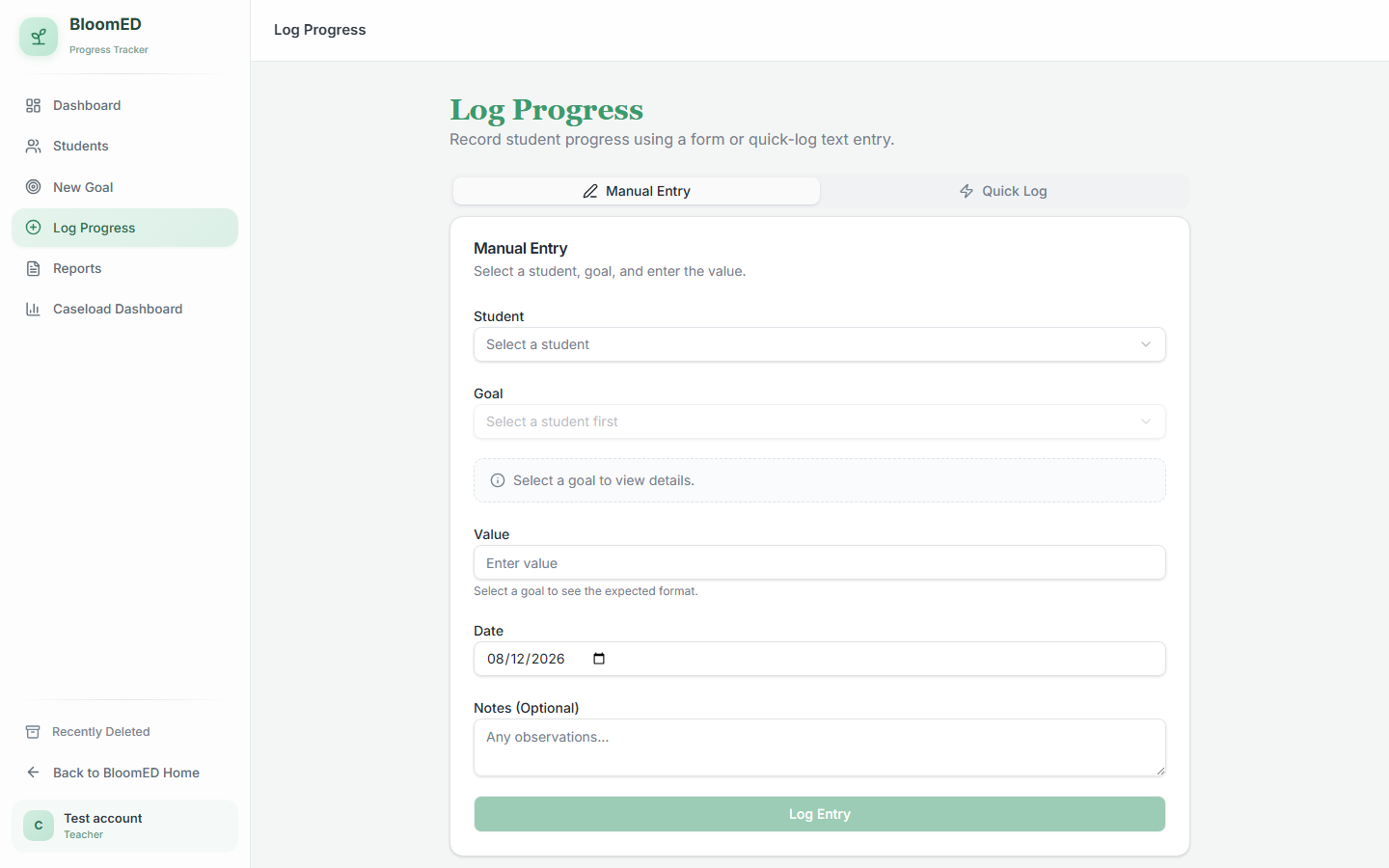
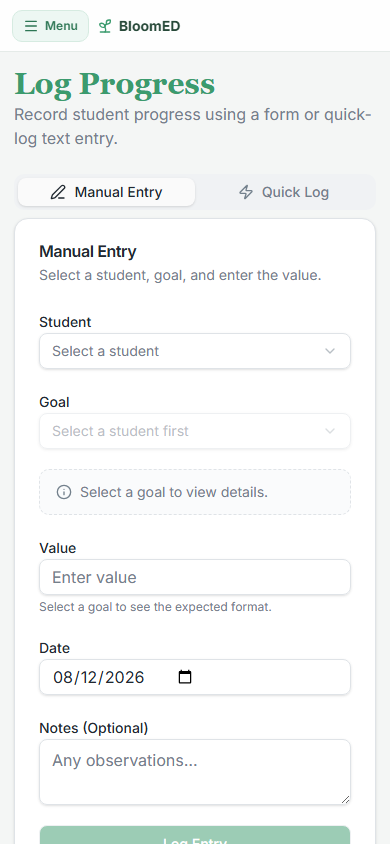
EduAILenz · BloomED progress log
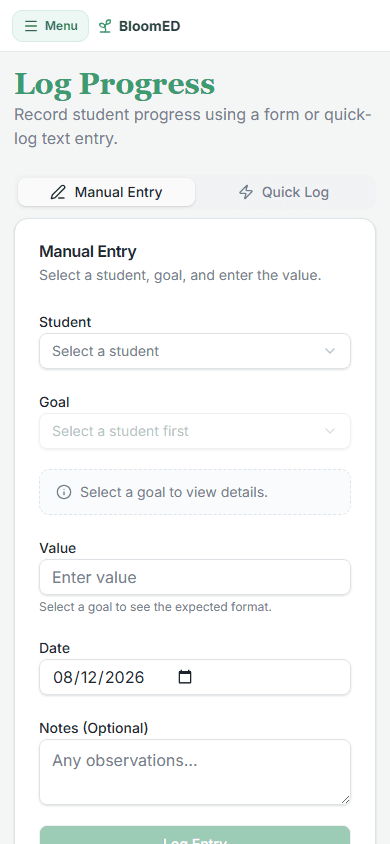
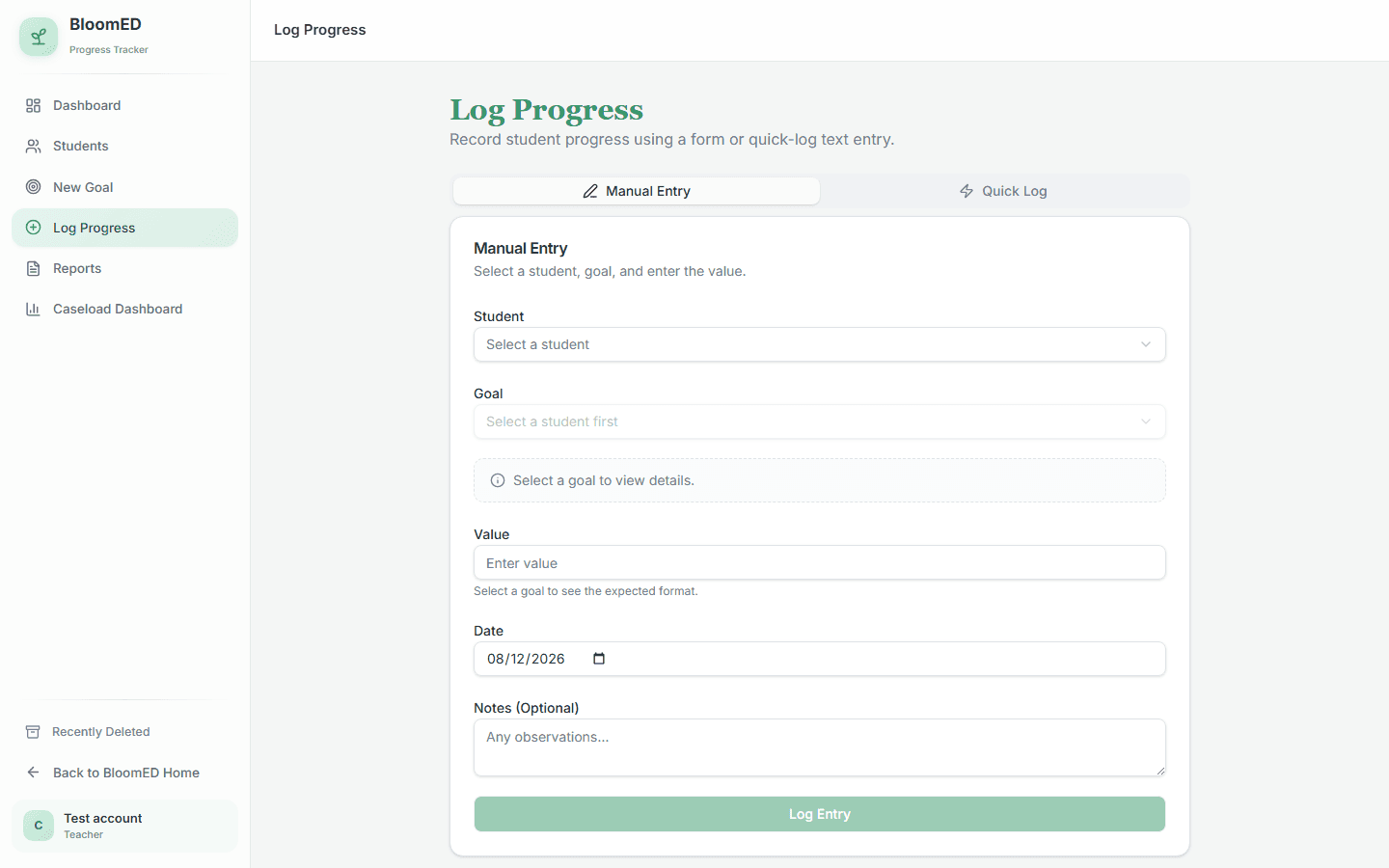
Authenticated BloomED progress log on desktop with student, goal, value, date, and notes fields
Authenticated BloomED progress log arranged for a phone

Accepted authenticated validation · synthetic test account

Record progress while the evidence is still useful

BloomED gives an educator a deliberate path from student and goal selection to the dated value and optional observation, with a faster quick-log path alongside it.

Visible result: structured progress evidence that can support the next teacher-reviewed decision.

Capability demonstrated: structured data entry with deliberate and quick-log paths for different moments of use.

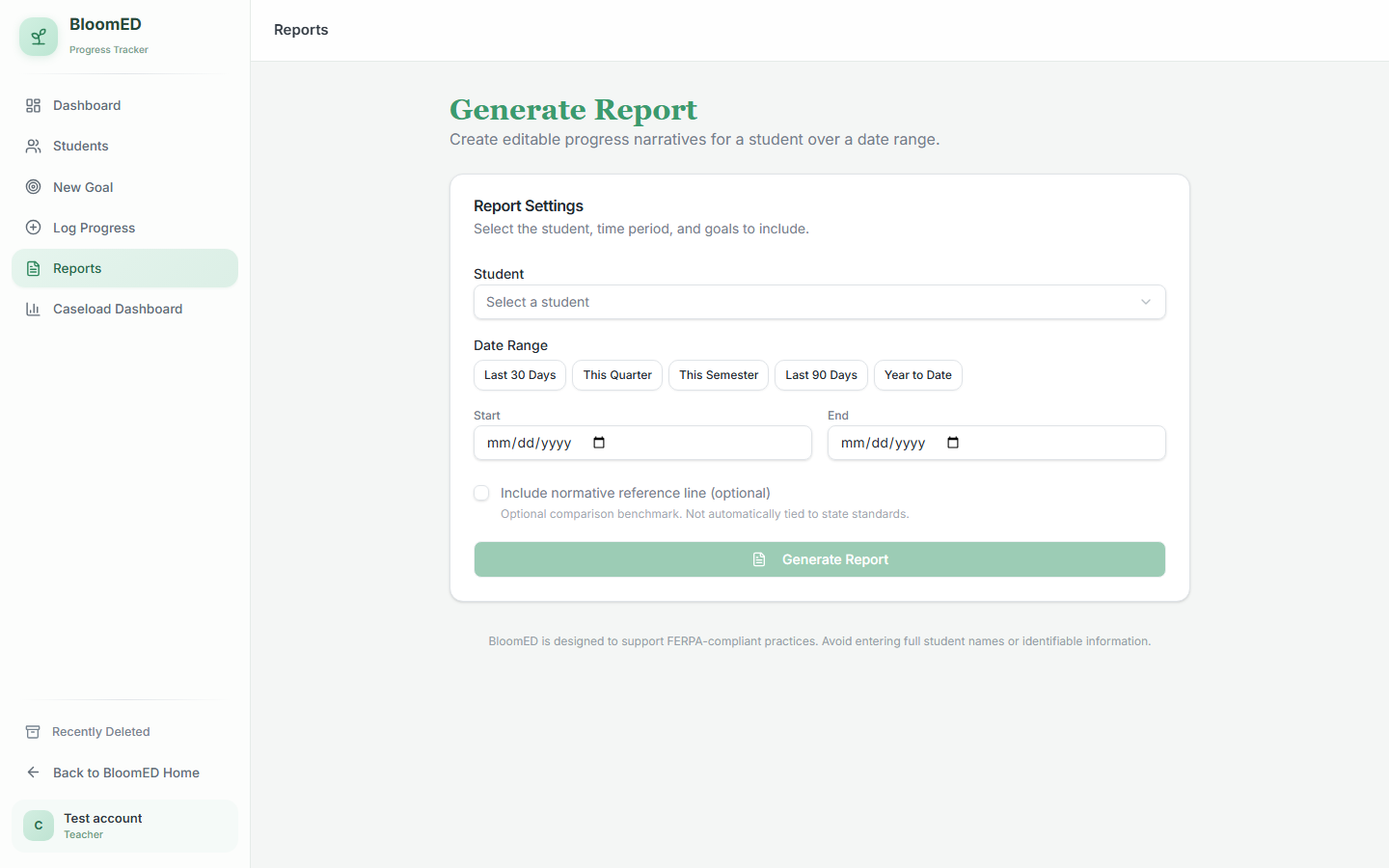
EduAILenz · BloomED reports
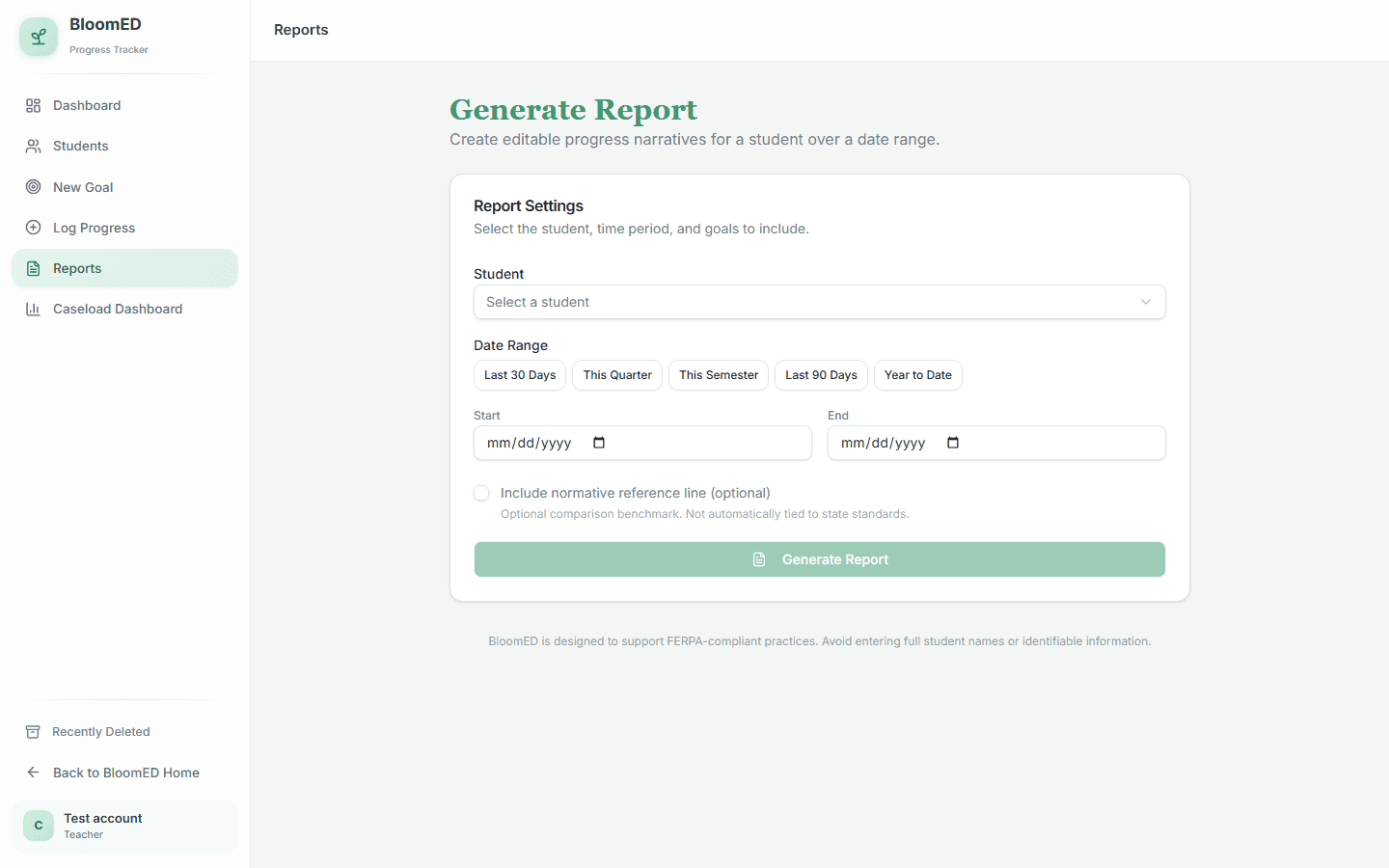
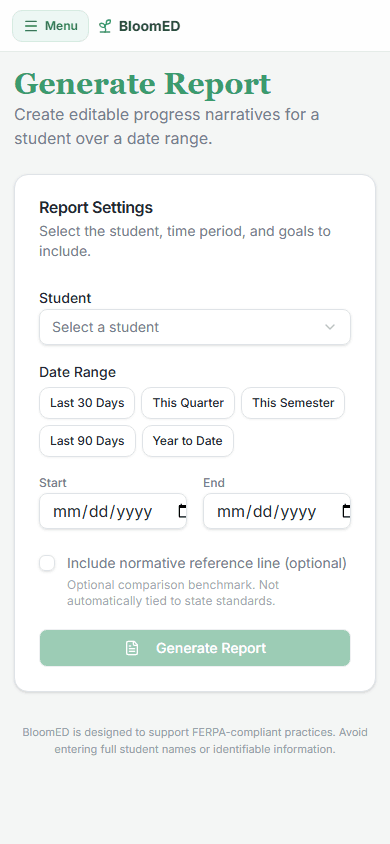
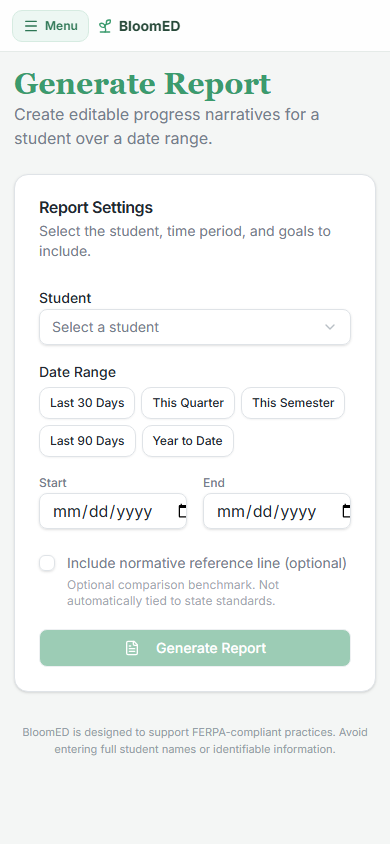
Authenticated BloomED report generator on desktop with student, date range, and report controls
Authenticated BloomED report generator arranged for a phone

Accepted authenticated validation · synthetic test account

Turn accumulated evidence into a reviewable report

The report workspace keeps the student, time period, goal selection, and optional comparison context visible before generating an editable progress narrative.

Visible result: a bounded reporting step that keeps educator review in the workflow.

Capability demonstrated: assembling structured evidence into an editable, human-reviewed reporting workflow.

Cyvexly contribution

Education software that keeps the teacher in control.

Cyvexly organized a broad education platform into recognizable teacher jobs, designed its responsive interface system, and built connected public, protected, player, and display experiences around clear responsibility boundaries.

This is a built product-system capability example, not a client engagement or a claim of revenue, adoption, or measured business results.

Shown and supported

  • Lesson planning, saved work, assignments, reading, and classroom-activity areas
  • BloomED caseload, goals, evidence, tasks, calendar, family, and reporting areas
  • Protected educator spaces plus public lesson, player, and display routes
  • Database-backed deployment with migration and readiness safeguards

Current limits

  • Full signed-in acceptance of provider connections and saved changes
  • Complete reconnect, grading, import, reporting, and narration checks
  • Restoration and fresh verification of the custom domain
Design decision 01

Structured the application around recognizable educator jobs instead of exposing one undifferentiated AI workspace

Design decision 02

Used separate signed-in, public-share, player, and display routes so each participant receives the controls appropriate to that context

Design decision 03

Backed production deployment with database migration and readiness gates while keeping provider configuration in protected environment controls

From product complexity to a clear scope

Custom systems are mapped before they are priced.

Roles, states, data, integrations, security, migration, and proof requirements shape the build. Cyvexly confirms the right path and pricing in writing after discovery.

What shapes the scope
Best fit
Applications with connected workflows, protected roles, structured data, or real-time participation.
What to bring
The users, current workflow, pain points, example data, and systems that may need to connect.
First decision
Discovery maps the minimum useful release and the evidence required to accept it.